 By admin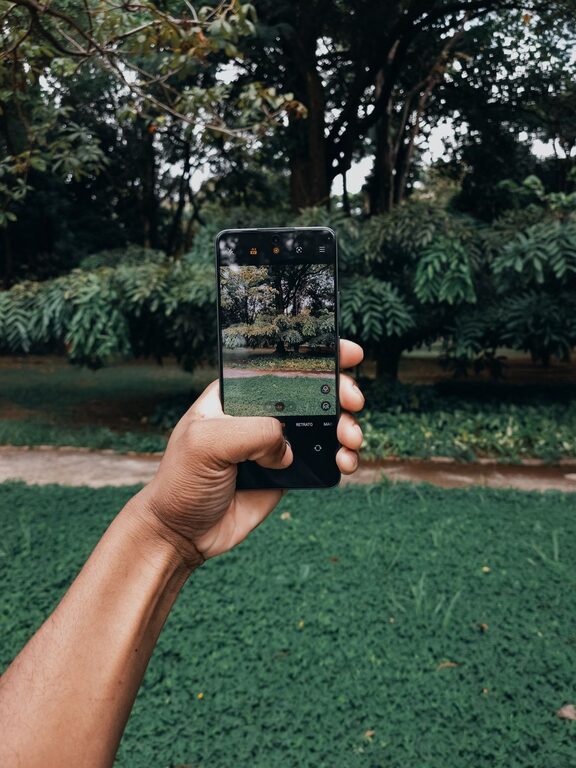
Taking great photos with your phone is easier than you think. With today’s smartphones equipped with advanced cameras, anyone can capture beautiful images. Whether you’re snapping shots of friends, landscapes, or everyday moments, a few simple techniques can help you take better phone photos. In this guide, we’ll cover essential tips to improve your mobile photography skills, even if you’re just starting out.
Understanding Your Phone Camera
Before diving into photography tips, it’s important to get familiar with your phone’s camera features.
– Explore the Camera App: Spend some time navigating your phone’s camera settings. Most smartphones offer modes like portrait, panorama, night, and manual controls.
– Learn About Resolution and Format: Higher resolution means more detail. Also, some phones support RAW image format, which offers better editing flexibility.
– Know Your Lens: Some phones have multiple lenses (wide, ultra-wide, telephoto). Understanding when to use each can enhance your photos.
Basic Tips for Better Phone Photos
1. Clean Your Lens
A quick but often overlooked step is wiping the camera lens. Fingerprints, dirt, or smudges can make photos blurry or hazy.
2. Use Natural Light
Lighting is key to any good photo.
– Shoot Outdoors or Near Windows: Natural light produces the most flattering results.
– Avoid Harsh Midday Sun: Overhead sunlight can cast strong shadows. Early morning or late afternoon light, often called “golden hour,” creates warm, soft lighting.
– Avoid Using Your Phone’s Flash: The built-in flash can make images look unnatural; try increasing exposure or moving to a brighter spot instead.
3. Hold Your Phone Steady
Shaky hands can cause blurry photos.
– Use Both Hands: Hold your phone firmly with both hands to stabilize.
– Lean on a Surface: If possible, rest your elbows on a table or lean against something sturdy.
– Use a Tripod or Phone Holder: For extra stability, especially in low light, consider a tripod designed for smartphones.
4. Focus and Exposure
Most phone cameras allow you to tap the screen on the subject you want to focus on.
– Tap to Focus: Ensure the main subject is sharp.
– Adjust Exposure: After focusing, you can often slide your finger up or down to brighten or darken the photo.
5. Compose Your Shot with Care
Composition influences how engaging your photo is.
– Follow the Rule of Thirds: Imagine your frame divided into a 3×3 grid and place important elements along these lines or at intersections.
– Keep the Background Simple: Avoid cluttered or distracting backgrounds.
– Experiment with Angles: Try shooting from different perspectives — low angles, eye level, or high vantage points.
– Fill the Frame: Get closer to your subject to capture details and reduce distracting surroundings.
6. Avoid Digital Zoom
Digital zoom reduces image quality by cropping and enlarging pixels.
– Instead, move closer to your subject physically.
– If you have a telephoto lens, use that instead of digital zoom.
Enhancing Photos After Shooting
Editing can enhance your photos without heavy manipulation.
– Use Built-In Editing Tools: Adjust brightness, contrast, saturation, and sharpness to improve the image.
– Crop and Straighten: Fix horizon lines or remove unwanted elements.
– Try Simple Filters: Many phones have subtle filters that can improve mood or tone, but avoid overusing them.
– Use Editing Apps: Apps like Snapseed, VSCO, or Lightroom Mobile offer advanced editing capabilities that are user-friendly.
Practice Regularly and Experiment
The more you practice, the better your photos will become.
– Challenge yourself to take photos in different lighting and environments.
– Experiment with various subjects such as landscapes, portraits, and close-ups.
– Review your photos critically and note what works and what doesn’t.
Additional Tips for Specific Scenarios
Taking Photos of People
– Put the subject at ease to capture natural expressions.
– Use portrait mode if available to blur the background and highlight the subject.
– Avoid harsh shadows on faces by using soft, diffused lighting.
Capturing Landscapes
– Use wide or ultra-wide lenses to capture expansive scenes.
– Include a point of interest in the foreground to add depth.
– Keep the horizon straight for a professional look.
Shooting in Low Light
– Stabilize your phone to prevent blur.
– Use night mode if your phone supports it.
– Find available light sources like street lamps or candles to create mood.
Conclusion
Improving your phone photography takes just a few simple steps — paying attention to light, composition, and stability can make a big difference. Remember to explore your phone’s camera features, practice often, and have fun capturing the world around you. With time and patience, your phone photos will become clearer, more vibrant, and more memorable.
Happy shooting!